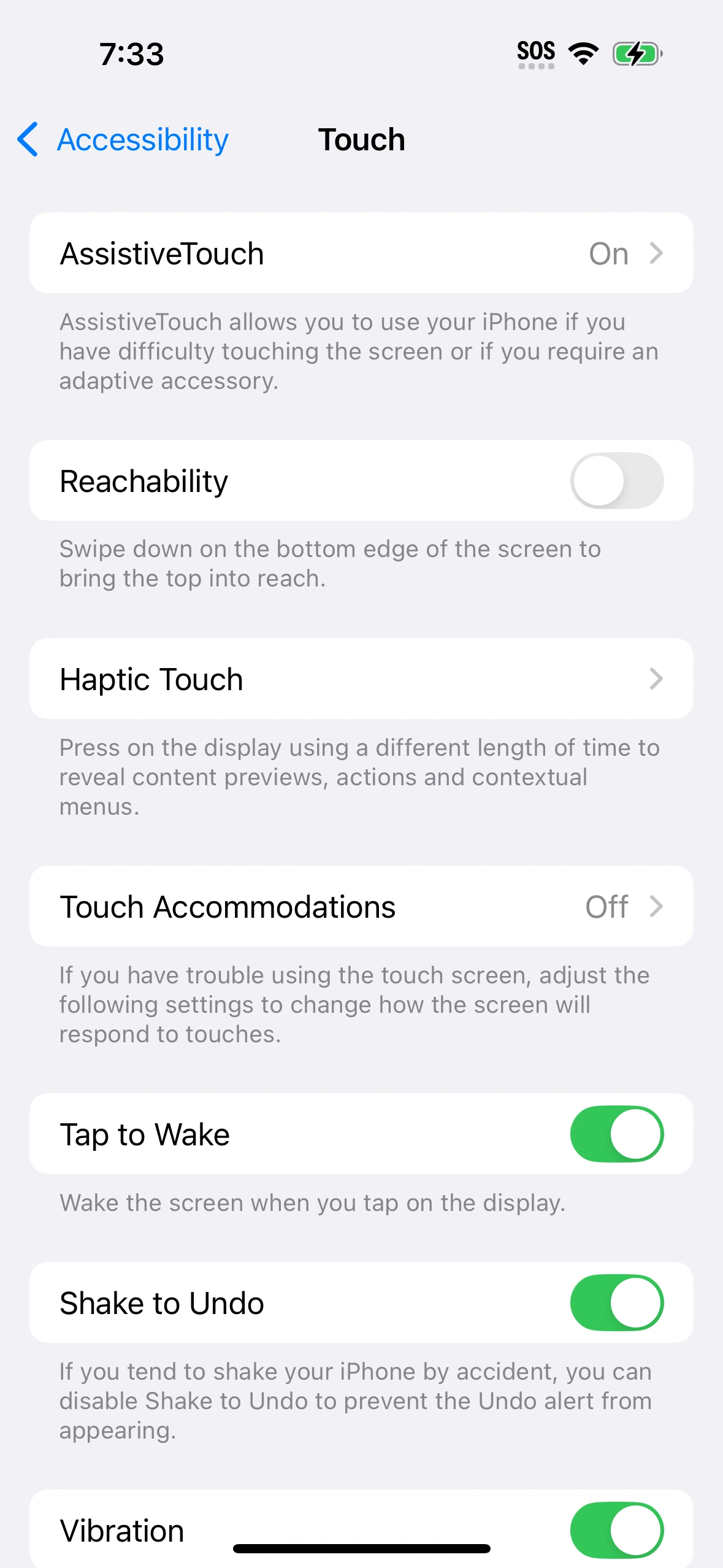
Screenshot of AssistiveTouch being enabled on iOS 18.
AssistiveTouch is an accessibility feature of iOS and iPadOS in which a virtual button can be placed on the screen of the device. The AssistiveTouch features can be activated in watchOS through arm movements and gestures.
Usage
AssistiveTouch can be activated in iOS and iPadOS from Settings > Accessibility > Touch > AssistiveTouch > On
Dragging the button will reposition it. Tapping it can activate a variety of functions:
- Control Center
- Notification Center
- Spotlight
- Home button
- App Switcher
- Speak Screen
AssistiveTouch can be used as a temporary workaround on a device with a non-functional Home button.[1] It can help exit apps, activate Siri, put the device to sleep, and power off the device.
History
AssistiveTouch first appeared in iOS 5 in 2011.[2] It was added to watchOS 8 in 2021.[3] Apple announced on May 17, 2022 that watchOS 9 will add new Quick Actions to expand AssistiveTouch gestures.[4][5]
References
- ↑ How to Use an iPhone with a Broken Home Button by Matt Klein, How-To Geek. 2016-03-15.
- ↑ Inside Apple's iOS 5: Assistive Touch allows accessible gesture commands, AppleInsider. 2011-07-11.
- ↑ How to control your Apple Watch hands-free by Victoria Song, The Verge. 2021-11-16.
- ↑ Apple previews innovative accessibility features combining the power of hardware, software, and machine learning, Apple Inc. 2022-05-17.
- ↑ Apple announces iOS 16 door detection, live captions, and more accessibility features by William Gallagher, AppleInsider. 2022-05-17.

