Icon from macOS Big Sur

Icon from OS X Yosemite
Time Machine is a graphically-oriented computer backup application included with macOS. First released as part of Mac OS X 10.5 (Leopard), the software is designed to sync with storage devices and is commonly used with disk drives.[1]
Overview
Time Machine is intended to be used as a storage and backup utility, instead of an archival utility or offline storage. This app creates backups of files and media that can be accessed and restored at a later date, and works seamlessly with several apps, like Mail and iWork programs. This means it's possible to restore individual files (e.g. files, documents, music, media, mail, etc.)
User interface
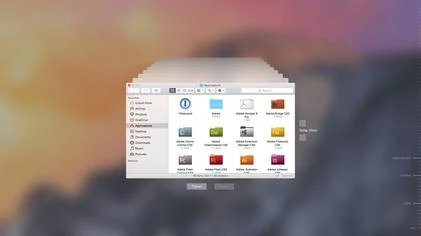
The Time Machine interface in OS X Yosemite
When launched and receiving a file, Time Machine automatically starts using Apple's Core Animation API. It "floats" the active Finder or application window into the background, behind the open Time Machine window(s).
Requirements
Time Machine requires the storage volume to use the Apple File System or journaled HFS+ file format or else the user will be prompted to reformat it. Supported configurations include:[2]
- A storage drive connected internally or to an externally, such as a USB or Thunderbolt device.
- A separate folder on a different Mac.
- A shared AirPort Time Capsule drive.
- A drive connected to AirPort Extreme 802.11ac model.
- Local network volumes connected using the Apple Filing Protocol or via an SMB3 share that uses a number of capabilities.[3]
References
- ↑ Inside Leopard: Time Machine by Rob Griffiths, Macworld 2007-10-24.
- ↑ Backup disks you can use with Time Machine. Apple Inc..
- ↑ Time Machine over SMB Specification. Apple Inc. (13 September 2016).
External links
- Mac OS X Leopard: Time Machine at Apple (archived 2007-10-16)
- Back up your Mac with Time Machine at Apple Support
- How to back up your Mac with Time Machine at iMore
- Time Machine (macOS) at Wikipedia