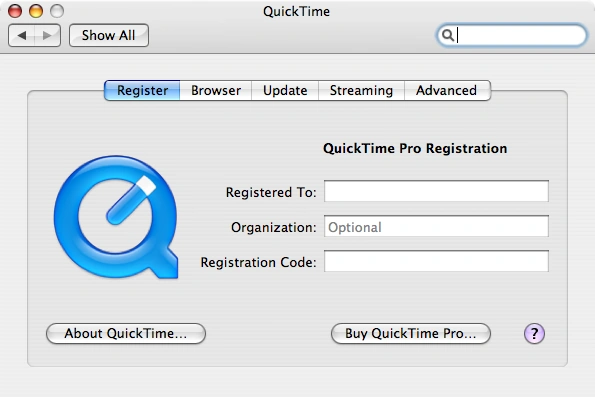
The QuickTime preferences pane in Mac OS X 10.4.11
The QuickTime pane of the System Preferences in Mac OS X was developed by Apple to allow users to customize the settings of QuickTime 7.7.3 or earlier on their Mac.
History
With the release of Mac OS X, the QuickTime preference pane superseded the QuickTime Settings control panel from classic Mac OS.[1]
Discontinuation
With the releases of QuickTime 7.7.x, many of the settings could be managed within QuickTime Player 7.6.x. The QuickTime pane was deprecated and would only appear up to Mac OS X 10.5.8 (Leopard); it was no longer included with Mac OS X 10.6 (Snow Leopard) and later.[2][3][4] QuickTime 7.7.3 (the final legacy release for Mac OS X) was only 32-bit and was superseded by QuickTime X, which was 64-bit. Support for versions prior to QuickTime X (version 10) was discontinued completely in macOS Catalina (10.15) in 2019.[5][6]
References
- ↑ Road to Mac OS X Leopard: System Preferences by Prince McLean, AppleInsider. 2007-10-24.
- ↑ The untold history of macOS System Preferences by Arun Venkatesan. 2020-09-17.
- ↑ QuickTime 7.7 for Leopard, Apple Support. 2011-08-03. Archived 2011-10-15.
- ↑ Download QuickTime Player 7 for Mac OS X v10.6.3, Apple Support. 2010-05-10.
- ↑ About QuickTime 7 compatibility, Apple Support. 2020-07-28.
- ↑ Apple is killing QuickTime 7 in macOS 10.15: convert old media now by hoakley, The Eclectic Light Company. 2019-03-23.
External links


 System Preferences System Preferences
|
|---|
|
|
| Notes: Items in gray indicate panes of System Preferences that were merged or renamed. Items in |